The private family document vault
Every family document, on one calm shelf.
Passport and ID expiry reminders, a scanner that reads the page, and one emergency PDF your family can open. No account. No LifeShelf server. Synced through your own iCloud.
Free to start · 3 months of Premium free · iPhone, iPad and Mac
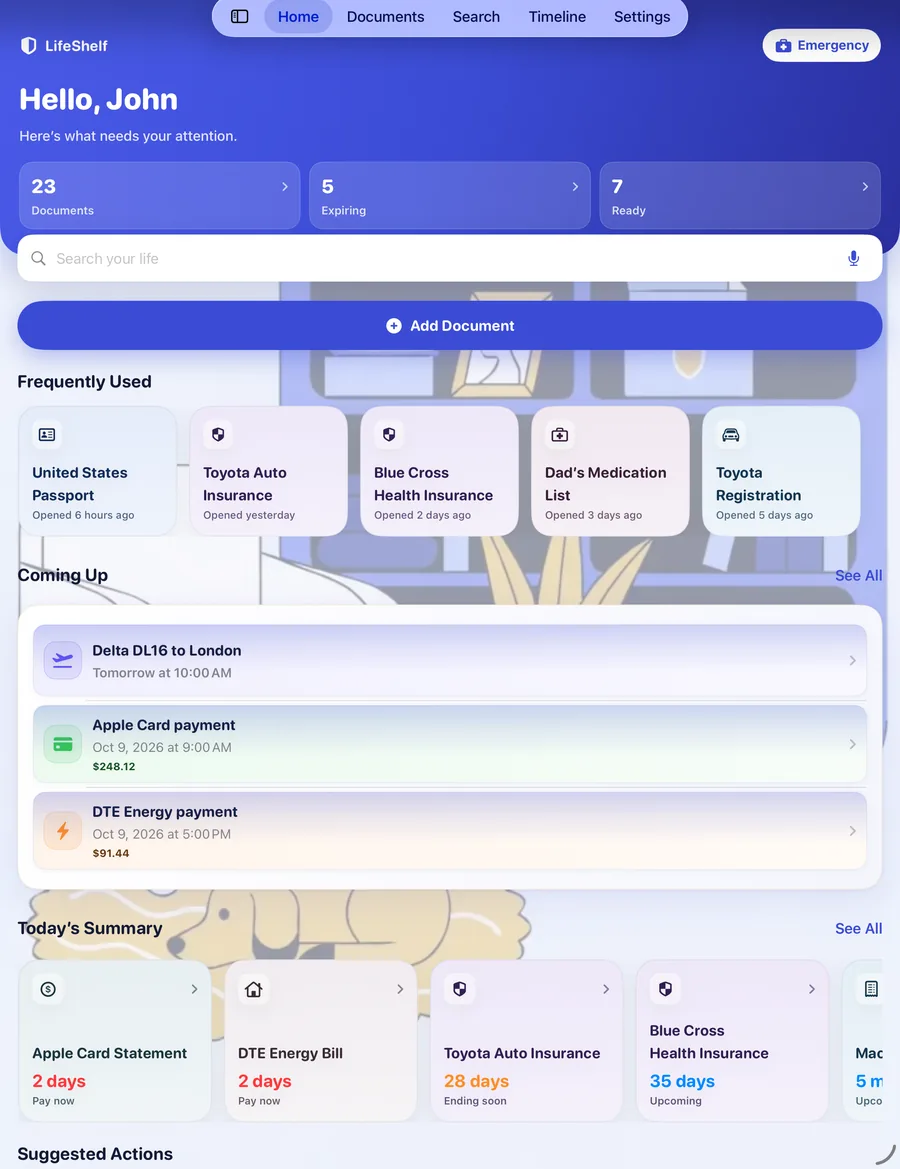
- No account, no sign-in
- No LifeShelf server
- Synced through your own iCloud
- No ads
- Export everything, any time
Why LifeShelf
Every household runs on paperwork. Most of it is somewhere else.
Passports and visas. The insurance policy you cannot find the week you need it. A warranty that expired without saying so. LifeShelf is one calm place for all of it.
Private, really
There is no LifeShelf account and no LifeShelf server. Your shelf lives on your devices and syncs through your own private iCloud, so there is nowhere for us to see it.
Early enough to act
Reminders are keyed to how long a replacement really takes. A passport speaks four months out, because renewal runs eight to eleven weeks. Every alert says why it arrived now.
Ready for the bad day
One Emergency Package PDF holds what your family would need: identity, medical, insurance, travel. It opens in any PDF reader, with or without LifeShelf.
Everything on one shelf
Scan it once. Find it any time. Hear about it before it runs out.
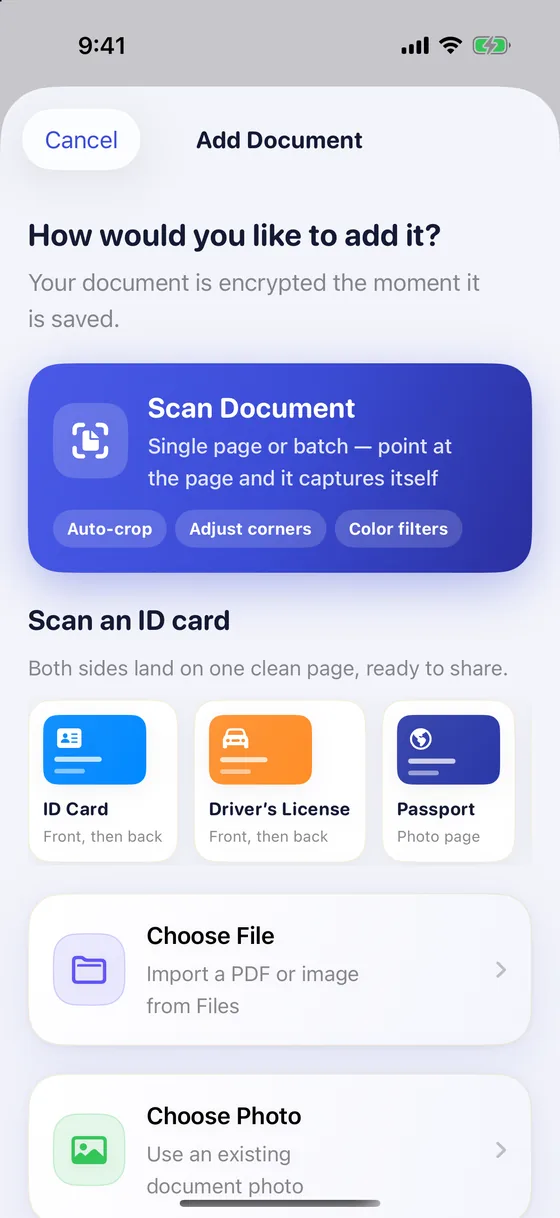
Scan
Point at a page. It does the rest.
LifeShelf captures the page, straightens it and reads the text, so a document is filed in seconds.
- A single page, or a twelve-page policy in one pass
- ID cards land both sides on one clean page, ready to share
- Import from Files or Photos instead, if you already have it
- Scanning and text recognition happen on your device. Nothing is uploaded to be read
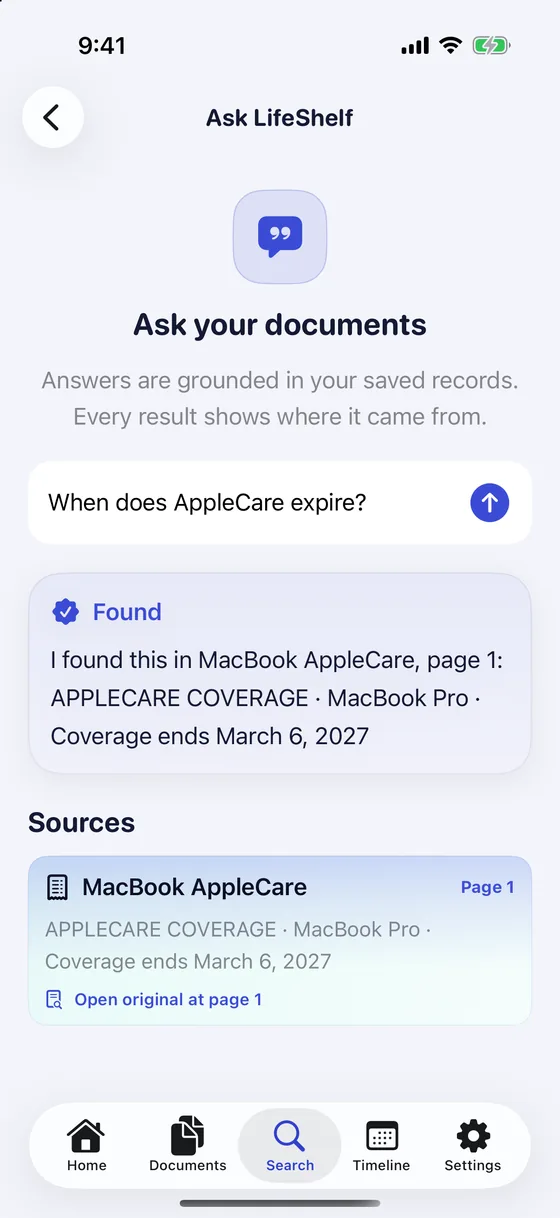
Find
Find it by what is inside it.
Search the words on the page, not just the file name: a policy number, a doctor's name, a phrase from page three.
- Or ask a plain question, like “When does AppleCare expire?”
- LifeShelf answers from your own documents and shows the page it came from, so you can check it
- Nothing is invented to fill a gap
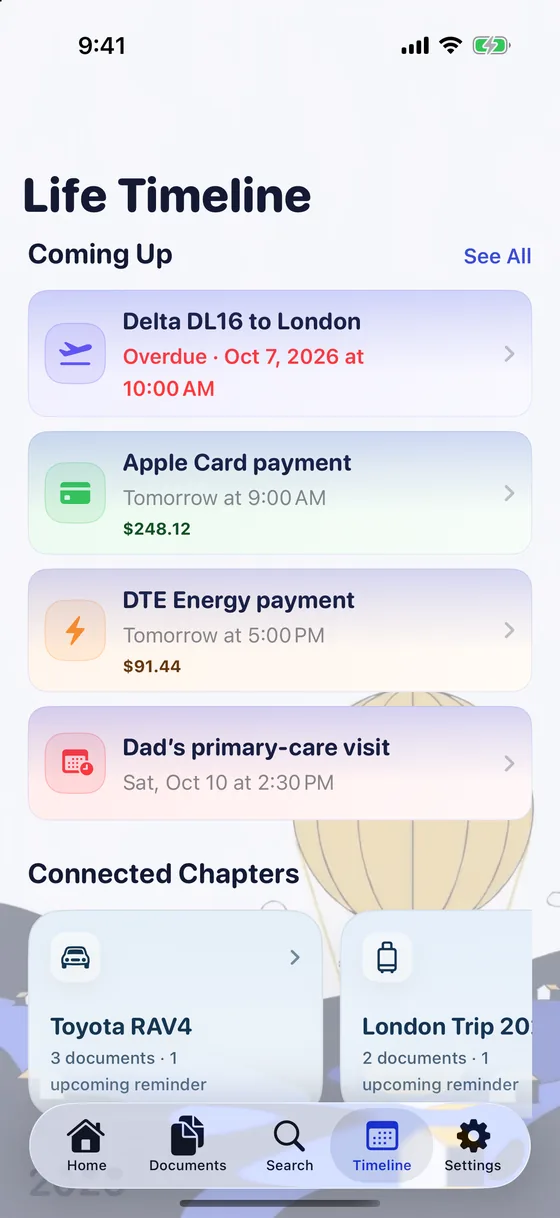
Remember
Hear about it before it expires.
A timeline of what is running out and when: passports, visas, policies, registrations, warranties, and the bills and visits coming up.
- Reminders keyed to how long a replacement actually takes
- A passport speaks four months out; a warranty speaks at thirty days
- A Renewal Kit gathers the steps, fees and documents you need
- Receipts: LifeShelf reads the amount, date and merchant, and keeps proof of purchase attached
See
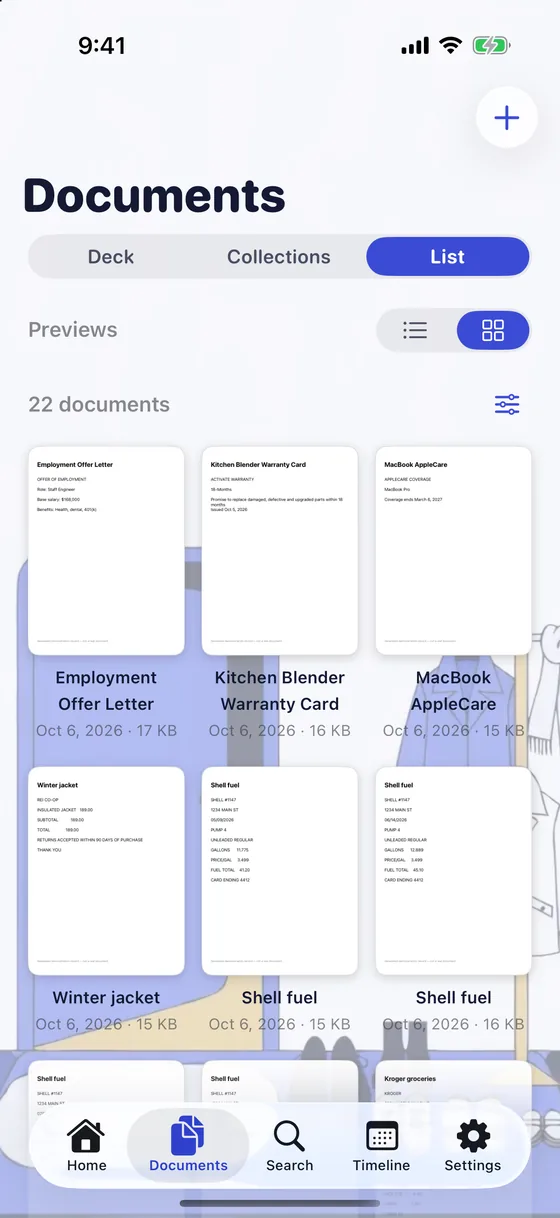
See every document at a glance.
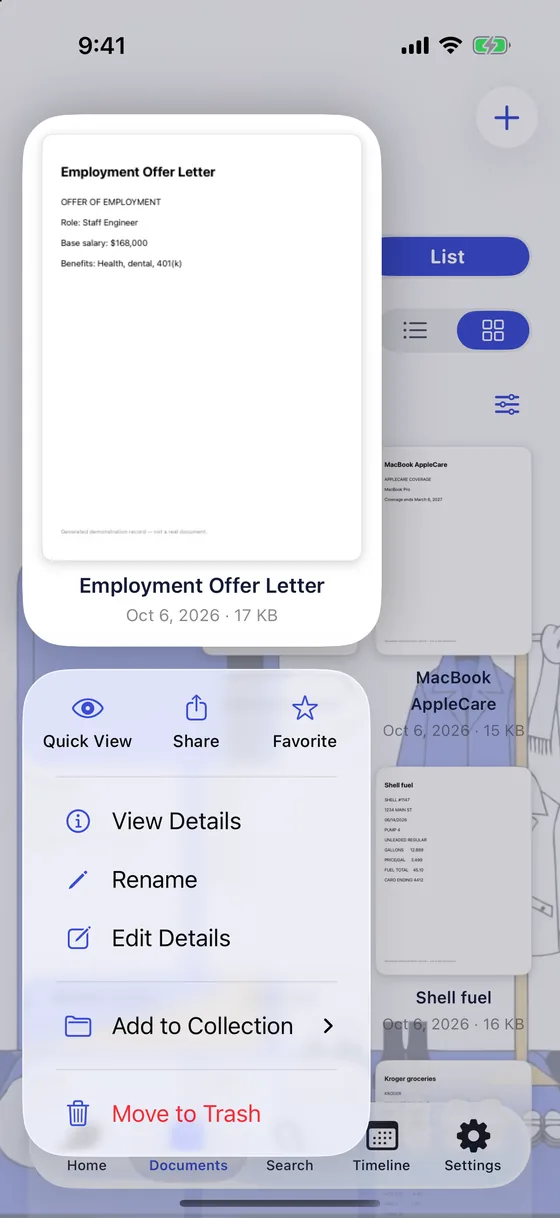
Switch Documents to a grid of real page previews, then press and hold any one to act on it without opening it.
- Quick View, Share, Favorite, Rename, Edit Details and Add to Collection from one menu
- Smart collections: identity, finance, medical, education, travel and more
- Previews are drawn on your device and never leave it
- A 30-day bin, so nothing is gone the moment you tap delete
Prepare
Ready for the bad day.
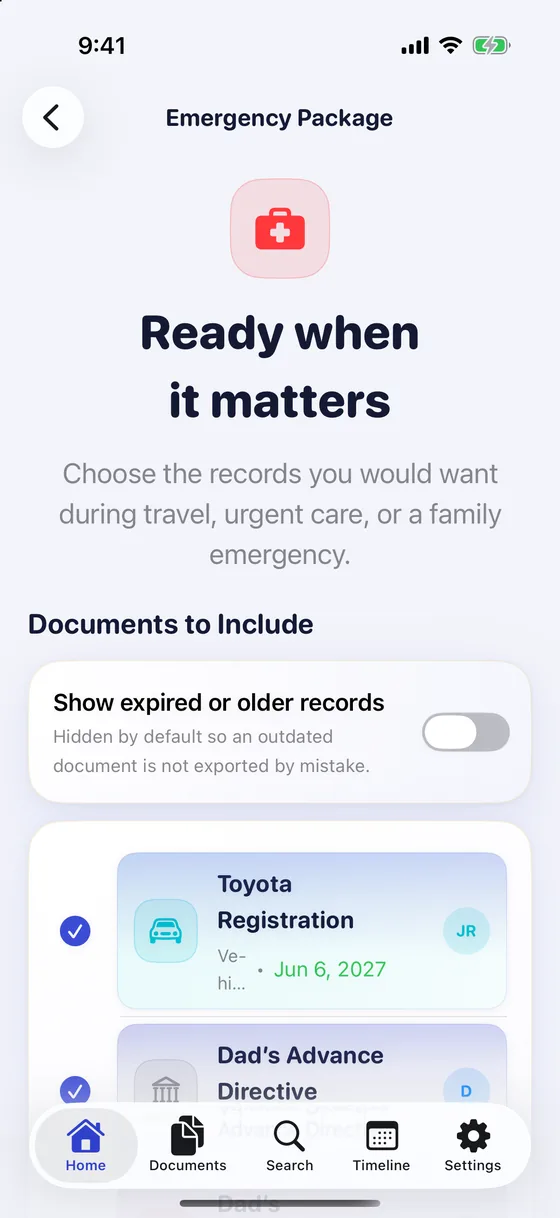
Choose what your family would need during travel, urgent care or an emergency, and LifeShelf builds one PDF.
- Emergency Package: identity, medical, insurance, travel, originals attached, optionally password-protected
- Caregiver Mode: a health passport for someone you look after, shareable in one tap at a hospital desk
- Legacy Plan: choose who can reach your shelf, how they open it, and when
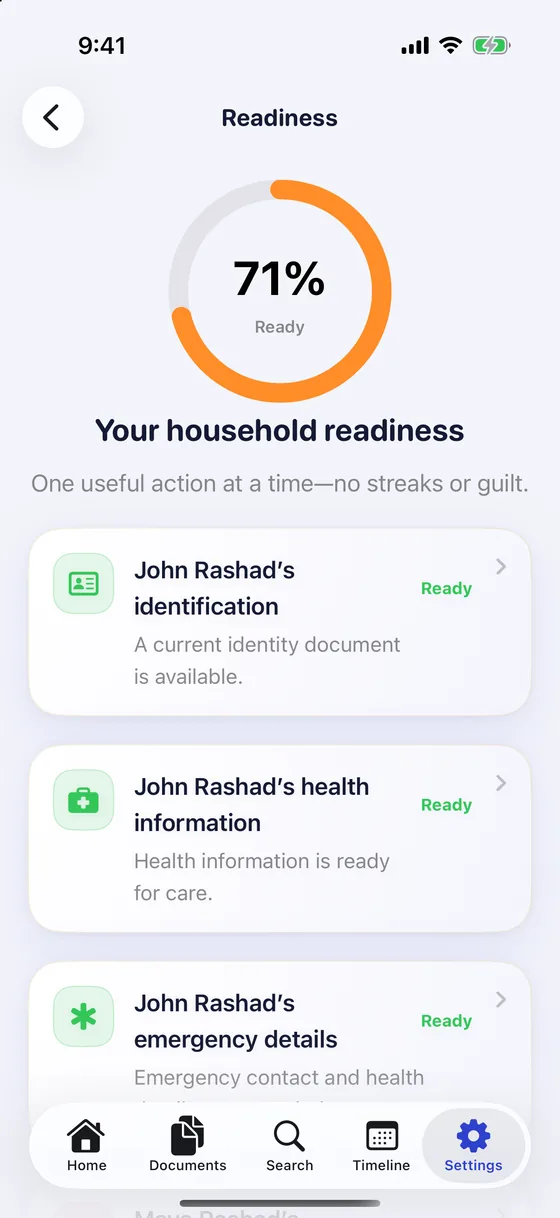
- Readiness shows what is missing before someone needs it, one useful action at a time, with no streaks or guilt
The rest of the household
One shelf for everyone you look after.
Family profiles keep each person's documents apart. Around them, small tools for the admin that never ends.
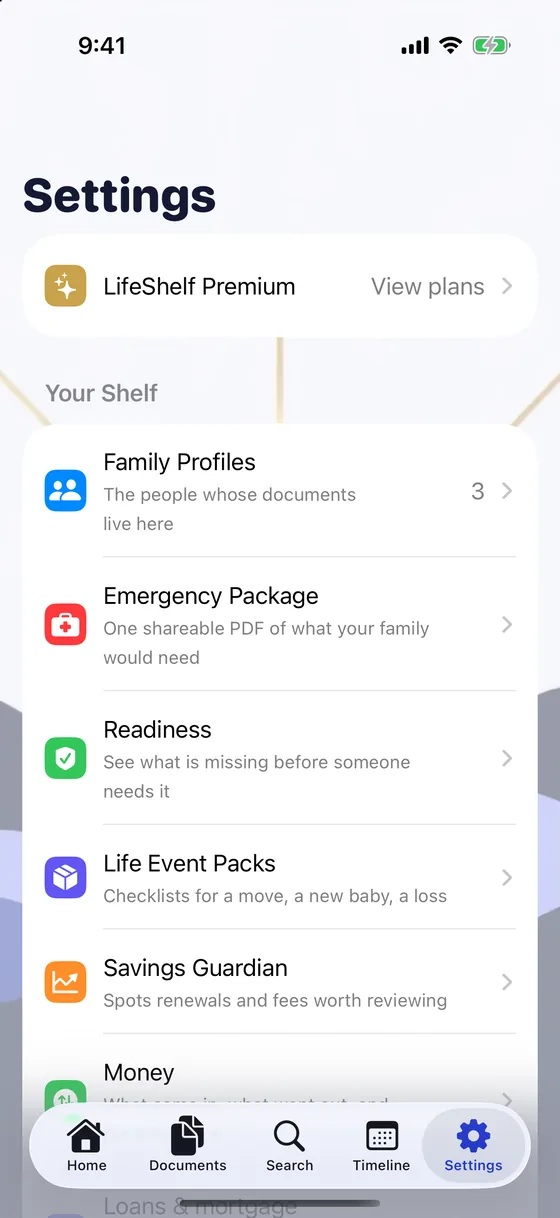
Family profiles
One shelf, everyone's documents, kept apart.
Money
What came in, what went out, in your own currencies.
Loans and mortgage
What you still owe and when the next payment is due.
Life Event Packs
Checklists for a move, a new baby, a hospital stay, a loss.
Savings Guardian
Renewals and fees worth a second look.
Life Admin Inbox
The small jobs LifeShelf noticed for you.
Notes on documents
Anchored to a document and surviving its replacement.
Export everything
Open formats, any time. A Recovery Kit puts a copy where you choose.
Your data outlives us
Because it was never on our servers to begin with.
How it works
Three small steps. A shelf you can trust.
Add it once
Scan a page, import a PDF or choose a photo. LifeShelf reads it on your device, fills in the title, dates and amounts, and seals the file.
Let it watch the dates
It tracks what runs out and when, and reminds you early enough to act, with the reason on every alert.
Be ready
Find anything by what is inside it. When it matters, one Emergency Package PDF puts the essentials in your family's hands.
Wherever you are
On your phone, on your Mac, and on every screen it unfolds to.
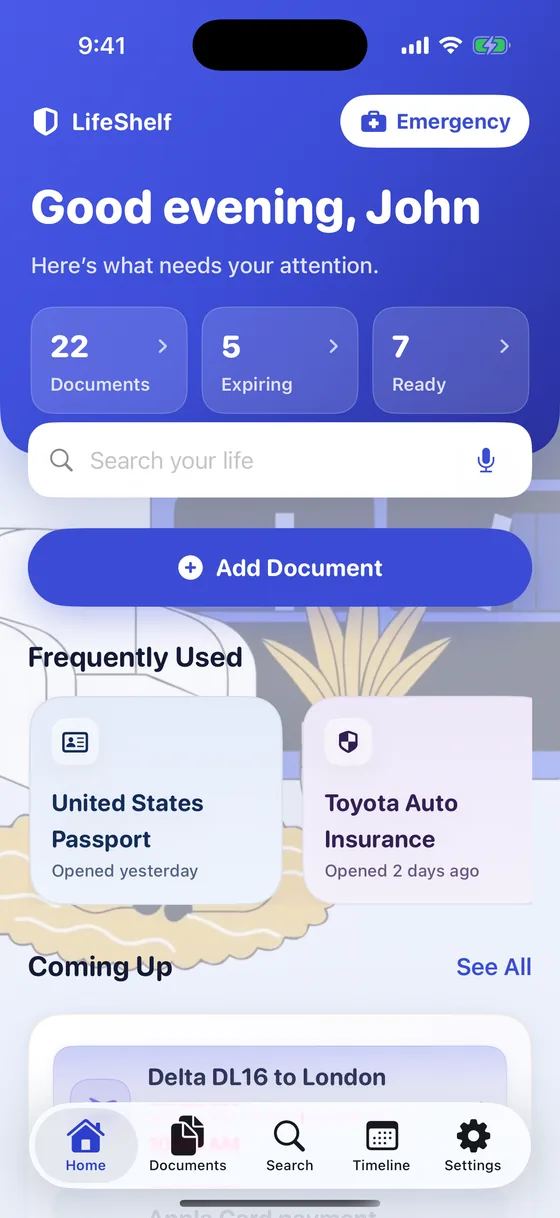
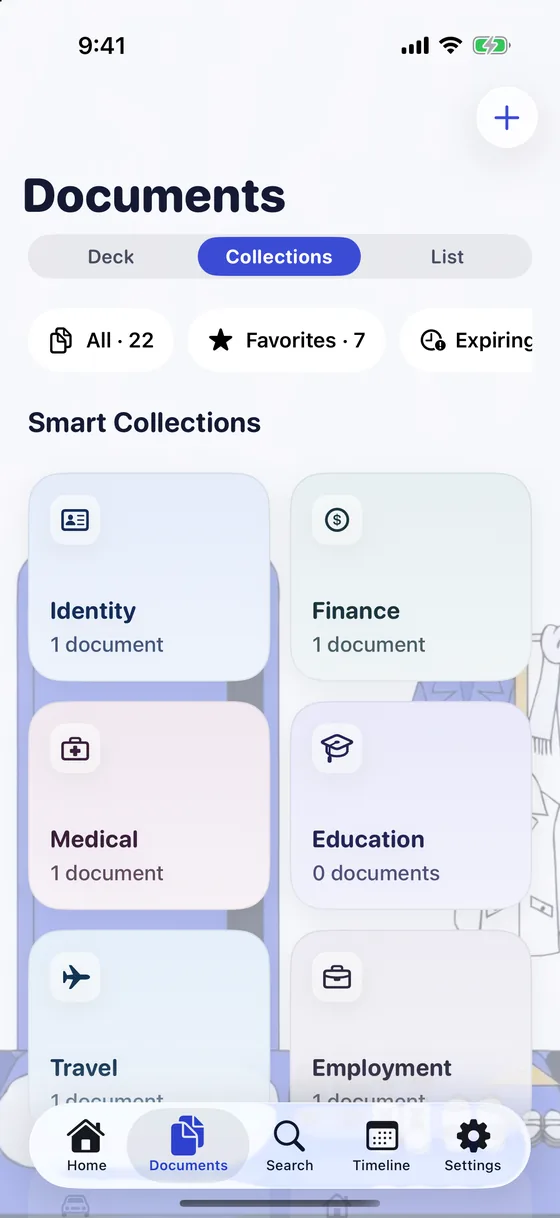
iPhone
The full LifeShelf: scan, search, reminders, the timeline, Emergency Package and your family's documents, all in your pocket.
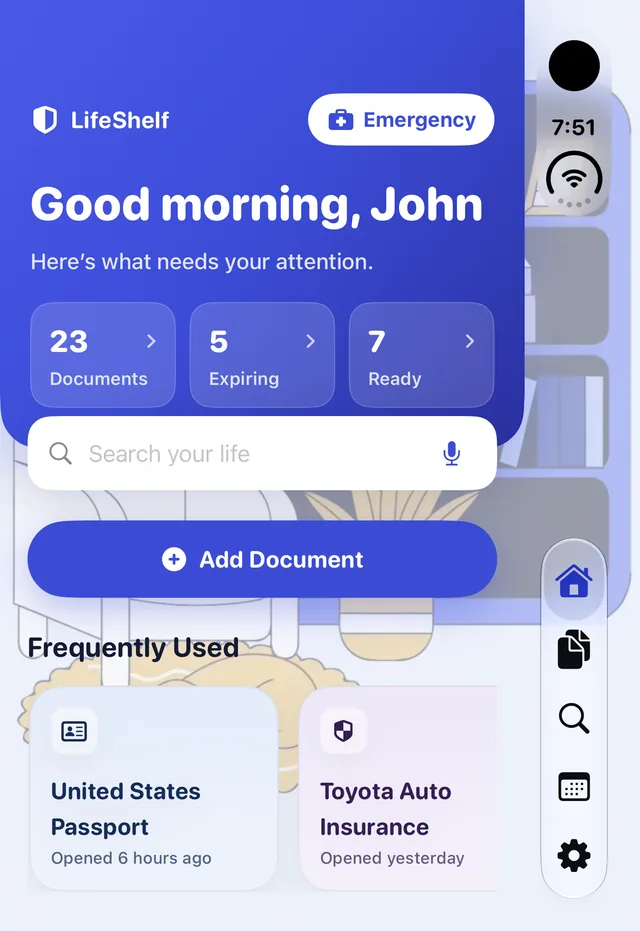
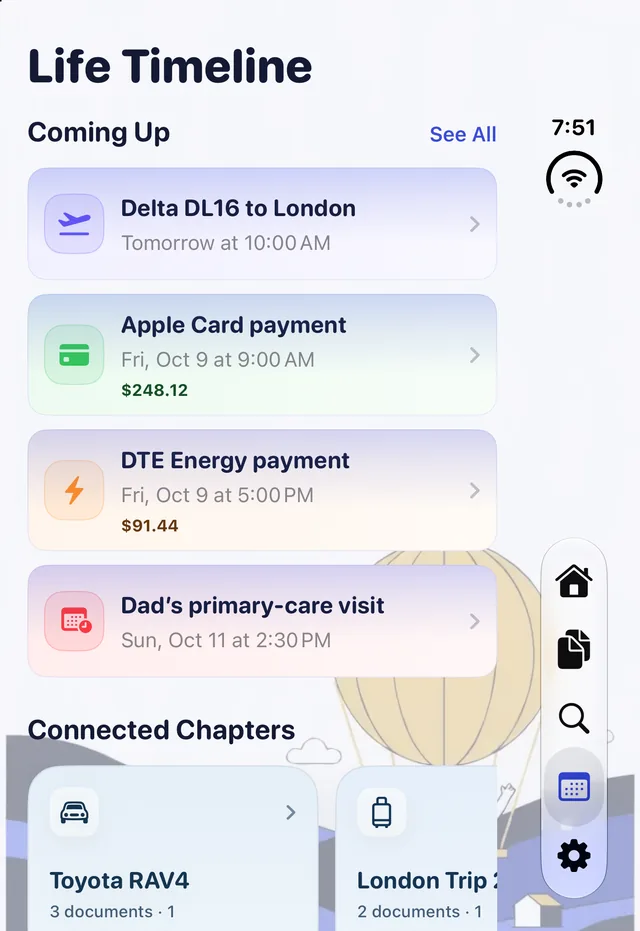
iPhone Duo
LifeShelf runs on the iPhone Duo outer display, shown here, where Home, Documents, what is expiring and the Timeline all fit.

iPad and Mac
The same shelf on your iPad and your Mac, kept in step by your own iCloud. Add a document on one and it is on the others. Lose a device and the shelf survives.
Coming soon
Private by design
Your documents. Your devices. Your iCloud.
There is no LifeShelf account and no LifeShelf server. Your shelf syncs through your own private iCloud.
- Your document files are sealed with a key that never leaves your devices. It travels only through your end-to-end-encrypted iCloud Keychain, so the files are unreadable to Apple and to us
- The text LifeShelf reads out of them for search, and details like titles and dates, ride your private iCloud as ordinary data, the same way a note in Apple Notes does
- We never see any of it, because there is nowhere for it to go
- Export everything in open formats, any time
Simple pricing
Free to start. Premium when your shelf outgrows it.
Free
- Scanning, search and Ask with sources
- Expiry reminders and the timeline
- iCloud sync across your devices
- Emergency Package
- Export Everything
Premium
- Everything in Free
- Unlimited documents
- Password-protected Export Packs
Subscriptions renew automatically unless cancelled at least 24 hours before the end of the current period, and you can manage or cancel them in your Apple ID settings. Your App Store shows the price for your region. Terms of Use.
Questions
Good to know.
Do I need an account?
No. There is no LifeShelf account and no sign-in. Open the app, add a document, and you are started. Sync uses the iCloud account already on your devices.
Where are my documents stored?
On your devices, and in your own private iCloud so they appear on all of them and survive losing any one. There is no LifeShelf server holding them.
Is everything encrypted?
Your document files are sealed with a key that never leaves your devices, so the files are unreadable to Apple and to us. The text LifeShelf reads out of them for search, and details like titles and dates, ride your private iCloud as ordinary data, the same way a note in Apple Notes does.
Does scanning upload my documents?
No. Scanning and text recognition happen on your device. Nothing is uploaded to be read.
How does “Ask” avoid making things up?
It answers only from your own documents and shows the page the answer came from, so you can check it. If the answer is not there, it does not invent one.
What is free and what is Premium?
Free holds 25 documents with every feature: sync, Emergency Package and Export Everything. Premium removes the limit and adds password-protected Export Packs. Monthly and yearly plans start with 3 months free, and Lifetime is a one-time purchase for your whole Apple Family.
Can I get my data out?
Yes. Export everything, any time, in open formats. A Recovery Kit puts a copy somewhere you choose, so your data outlives us.
Which devices does it run on?
iPhone, iPad and Mac, and it runs on the iPhone Duo outer display. Android is coming soon.
Have it ready before the day you need it.
Free to start. Private by design. Ready in a minute.